
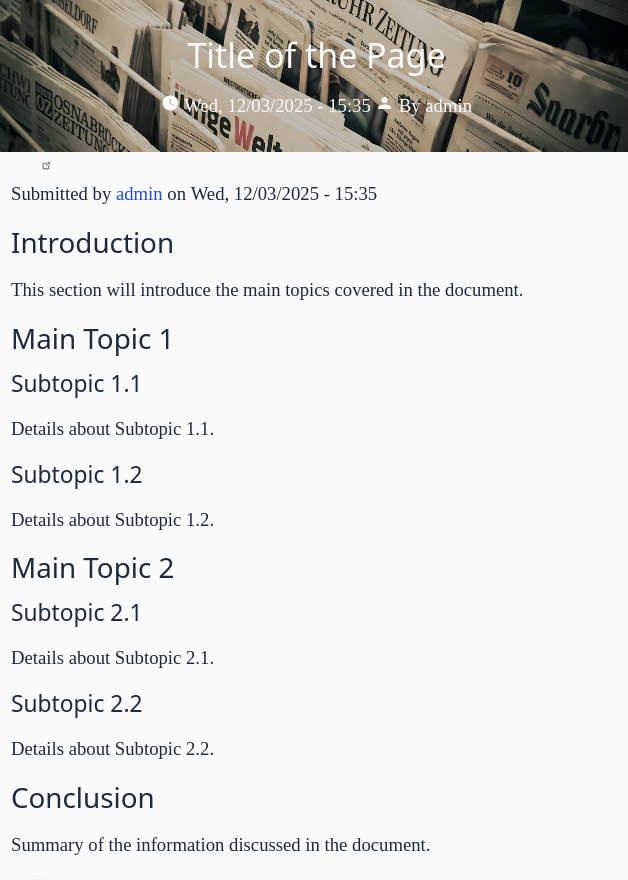
So much of accessibility is about making your content clear and understandable to a wide range of users. Structuring your content can really help here. Adding headings for each section of text particularly helps with assistive technologies like screen readers. Headers can help organize your content into groups, and show the relationships within your content.
The standards
WCAG 2.4.6 - "Headings and Labels" specifies that headings and labels clearly describe the content that follows. This helps users skip through your content to find what they need.
WCAG 2.4.10 - "Section Headings" describes the semantics of heading levels, and prohibits "skipping" levels. This particular standard is considered AAA - the upcoming requirements for accessibility is for AA, which is not as strict. But even so, it's considered a best practice to not skip from a header 2 to a header 4, for example, without having a header 3 in between.
Using headers effectively
Header levels matter for search as well as accessibility -- search engines expect there to be only one "Header 1" on each page, and that's generally the title of your post. Within content, you should group major sections using "Header 2" elements -- these also have extra search "juice" associated with them, so making them describe the content helps search results as well as accessibility. If you need to break information down further, then use "header 3" elements inside your header 2 sections, and so on -- HTML allows up to 6 header levels if you need them.
For pages with a lot of rich, detailed information, consider adding a table of contents. There are some useful Javascript libraries that can add these to the page automatically based on the headers on the page, so you don't need to create them manually.
For sidebars, footers, etc, I typically use a header 2 to set off these blocks, because they typically fall under the main page header (in terms of page structure). This is a place where a label might be more appropriate, if the blocks have little to do with the page content.
Setting header levels in blocks has not always been easy to do in Drupal, especially for things like a page with multiple groups of cards linking to other pages -- you might use a header 2 to introduce the group, and then you would want each card's title to use a header 3. These kinds of issues are solved in modern design systems, including the upcoming Drupal Canvas, by allowing you to specify the header level for each card as part of the page template.
Add new comment